TXT
Text and dataPlain text. Notes, instructions and short lists. No hidden formatting; easy to compare line by line.
Specify the encoding. UTF-8 is usually convenient for exchange; line endings can vary.
- Extension
- .txt
- Common MIME type
- text/plain
A practical reference
Formats, hashes, metadata and compression. Understand what a file contains, what you can change and what to check before sharing.
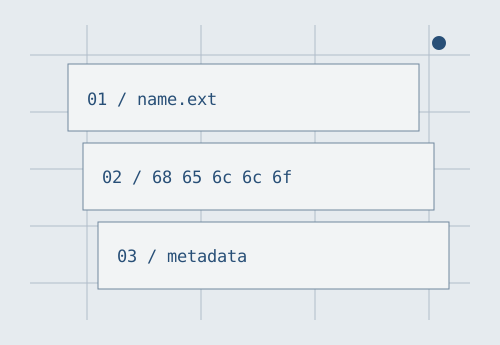
Search by extension, name or purpose. This is a guide to choosing, not a file-safety test.
All formats: 18
Plain text. Notes, instructions and short lists. No hidden formatting; easy to compare line by line.
Specify the encoding. UTF-8 is usually convenient for exchange; line endings can vary.
Tabular data. Exchange rows and columns between spreadsheets and programs. Values are stored as text.
Workbook formulas, types and layout are not retained. Choose the delimiter and encoding on import.
Structured data. Objects, arrays, strings, numbers, true, false and null. Useful for configuration and data exchange.
Keys are double-quoted strings. Comments and trailing commas are not part of standard JSON.
Marked-up data. Nested elements and attributes describe a structure. A schema or convention determines its meaning.
Disable external entities and network access when parsing untrusted data.
Fixed-page document. Share a document with fixed page layout. Text may be selectable or part of a scanned image.
PDF alone does not guarantee accessibility or preservation. Check fonts, text and the required profile.
Editable document. Text, styles, images and document structure in an Office Open XML package. Useful for collaborative editing.
Layout depends on fonts and software. Review comments, tracked changes and properties before sharing.
Lossless raster. Screenshots, diagrams and graphics with sharp edges. Supports transparency.
Often larger than JPEG or WebP for photographs. Size optimisation is not the same as metadata removal.
Photographic raster. Compact photographs and smooth colour transitions. Usually uses lossy compression.
No conventional alpha channel. Repeated lossy saves can accumulate artefacts.
Vector graphics. Lines, paths and text in XML. Diagram and icon outlines can scale without becoming pixelated.
May contain scripts, links and embedded rasters. Do not treat an untrusted SVG as trusted inline code.
Web raster. Supports lossy and lossless modes, transparency and animation. Useful for website images.
Size and quality depend on mode and content. Keep the source separate from the web export.
File collection. Collects multiple files with paths; entries can be compressed individually. Convenient for small packs.
Not every ZIP is encrypted. Inspect the file list and expanded size before extracting an unfamiliar archive.
Archive, not necessarily compressed. Combines files and some attributes in one stream. Often used for directories and backup collections.
TAR itself generally does not compress data. A .tar.gz suffix means a TAR stream compressed with gzip.
Compressed stream. Lossless compression of one data stream. Often applied to text logs and TAR archives.
Not a directory structure by itself. A collection needs an archive container such as TAR first.
Compressed archive. A container supporting different compression and encryption methods. Can compress similar text files well.
Support depends on software. Extracting one entry from a solid archive can require processing a large block.
Lossy audio. A widely used compressed audio format. Suitable for distributing speech and music.
Discarded detail cannot be recovered. Re-encoding from another lossy format can reduce quality further.
Audio container. Often contains uncompressed PCM audio and is useful as a working file. Other codecs are possible.
The extension does not prove the audio is uncompressed. Check codec, sample rate and channel count.
Media container. Stores video, audio and other tracks. H.264 is one common video codec carried in MP4.
Compatibility depends on the codec, profile and device, not just the extension.
Web media container. A web video and audio container, commonly carrying VP8, VP9 or AV1 video and Opus or Vorbis audio.
Check the actual codec and support on target devices. Changing the extension does not convert video.
Try a shorter term or a different category. Reset filters to show every card again.
Four guides for the moments when you need to understand the contents, not just choose an application.
01 / Formats
Tell names, contents and containers apart, and understand why a file may fail to open even when its extension looks familiar.
Read the article02 / Hashes
A checksum helps compare copies. It neither reveals the contents nor proves who created a file on its own.
Read the article03 / Metadata
Names and sizes are easy to see. Coordinates, comments and tracked changes may remain inside even when they are not visible on screen.
Read the article04 / Compression
Archives, containers and compression solve different problems. Decide what you can afford to lose before choosing a format.
Read the articleShort cards give an overview. The articles explain limits and common mistakes.
Cards describe common uses of each format. A particular file may use a different profile, codec or packaging method. MIME labels and extensions do not prove what is inside. This site does not receive or analyse your files: search only filters the reference text on this page.
Original text and diagrams are available under CC0 1.0 without required attribution. Specification links lead to external material with its own terms. This reference does not replace documentation for a particular application. Licence · CC0 1.0